

Startseite
Produkte
 Aurora Wandler

 Aurora(n)
LM-DIG
LM-PRE4
LM-A4 / LM-A24
LM-AIO8E
DB-ADAT
 Hilo Wandler
Hilo2
 PCI Express Karten
Lynx E22
Lynx E44
Lynx AES16e
 Aurora/Hilo Interfaces
LT-HD2
LT-USB
LT-TB3
LT-DANTE

 Zubehör
Lynx Audiokabel
Lynx Hilo Rack V2
Produktarchiv
ältere Lynx Produkte
Lynx Produkte kaufen
Support
Kontakt
News
Aurora Wandler
Aurora(n)LM-DIGLM-PRE4LM-A4 / LM-A24LM-AIO8EDB-ADATHilo Wandler
Hilo2PCI Express Karten
Lynx E22Lynx E44Lynx AES16eAurora/Hilo Interfaces
LT-HD2LT-USBLT-TB3LT-DANTEZubehör
Lynx AudiokabelLynx Hilo Rack V2Produktarchiv
ältere Lynx Produkte
 Was tun, wenn das gewünschte Lynx Produkt im Shop gerade auf "Rot" steht? Machen Sie's wie die anderen und kontaktieren Sie uns, so landen Sie direkt in unserem Bestellkreislauf, den wir ständig mit der hereinkommenden Ware abgleichen.
Lynx Studio Technology
Video Galerie
Video Galerie


Lynx Talks To Willie Linton - Interesting Talks With Interesting People

Neuigkeiten
Treiber und
FirmwareHandbücher und DokumenteFragen und
Antworten (FAQ)Support-
formular


FirmwareHandbücher und DokumenteFragen und
Antworten (FAQ)Support-
formular
Treiber und Firmware Downloads
Bitte beachten:
Die NControl Software läuft nur ab macOS 10.10 - macOS 12 (Monterey) oder späteren macOS Versionen.
• Release Notes NControl for Aurora(n)
Version 1.0.10.6 - March 27, 2024
Version 1.0.10.5 - October 20, 2023
Version 1.0.10.4 - September 29, 2023
Version 1.0.10.3 - September 9, 2023
Version 1.0.10.2 - September 6, 2023
Version 1.0.10.1 - August 23, 2023
Version 1.0.10 - June 23, 2023
Version 1.0.9 - October 20, 2022
Version 1.0.8 - July 11, 2022
Version 1.0.7.6 - March 31, 2022
Version 1.0.6 - August 19, 2021
Version 1.0.5 - July 6, 2021
Version 1.0.4 - May 05, 2021
Version 1.0.3 - November 20, 2020
Version 1.0.2 - November 20, 2020
Version 1.0.1 - March 27, 2020
Version 1.0.0 - February 17, 2020
Version 0.9.8 BETA - November 11, 2019
Version 0.9.7 BETA - August 13, 2019
Version 0.9.6 BETA - May 1, 2019
Version 0.9.5 BETA - April 16, 2019
Version 0.9.4 BETA - April 4, 2019
Die NControl Software läuft nur ab macOS 10.10 - macOS 12 (Monterey) oder späteren macOS Versionen.
• Release Notes
|
Software for Aurora(n)
Copyright © 2019-2024 Lynx Studio Technology, Inc. All Rights Reserved. Revision History / Release Notes |
Version 1.0.10.6 - March 27, 2024
- Added "Dante device exclusion list" dialog. This allows exclusion of specific Dante devices to NControl. NControl must be restarted for the new exclusion to take effect.
- Added "Identify" function to Menu.
- Added MCU Pro commands: Function key F7 is GROUP A Mute; Alt+F7 is GROUP A Dim.
- Modified MCU Pro sliders so any value -70.0dB or lower is muted.
- MCU Pro commands now take action on key down instead of key up. This allows better integration with the Elgato Stream Deck + with the Midi plugin which only sends key down commands.
- Dolby ATMOS scenes can now assign channel names from newer SonarWorks .TXT files.
- Dolby ATMOS Setup page can now load preset .BIN files from Sonarworks Version 5.10 and up.
- Copy and Paste (Ctrl+C / Ctrl+V) now implemented for output volume and routing. First select a specific output pair and press Ctrl+C (Cmd+C on Macintosh). This copies the output controls and all associated source channel controls to the clipboard. Next, select a different output pair and press Ctrl+V (Cmd+V on Macintosh). This pastes the volume and routing to the newly selected output pair. A specific use case for this is if powered monitors are on Out 1+2, the volume and routing of Out 1+2 can be copied to the Phones so the Phones will have exactly the same feed as the powered monitors.
- Added "Check for updates" to Menu > Advanced. If a newer version of NControl is available, a popup will inform the user of the newer version and ask if the user wants to download it. If the user presses "Ignore", the popup will no longer occur until the user selects Menu > Advanced > Check for updates.
Version 1.0.10.5 - October 20, 2023
- Channel Bass Management settings are now preserved when loading a preset, since SonarWorks presets do not contain bass management settings.
- Added "ATMOS Scene" section with "ATMOS Enable" button to adapter panel. This is a duplicate of the ATMOS Enable switch within the Dolby ATMOS setup page. This serves as a reminder that the ATMOS Scene is enabled since normal NControl routing is overridden by the Dolby ATMOS setup page. Holding down the "ALT" key while pressing the ATMOS Enable button will immediately launch the Dolby ATMOS setup page (Ctrl+A [Windows] / Cmd+A [Mac] will also launch the Dolby ATMOS setup page).
Version 1.0.10.4 - September 29, 2023
- Changed Load REW Preset dialog so that the "Open Files" button is disabled until the user has actually assigned a file to a speaker.
Version 1.0.10.3 - September 9, 2023
- Fixed issue where Group selection and volume was not restored from USB connected Aurora(n).
- Fixed issue where Monitor Out or Phones would not save or restore properly from ATMOS Scenes when selected as the output.
Version 1.0.10.2 - September 6, 2023
- Fixed issue introduced with 1.0.10.1 where Sonarworks import of 2.0 (Stereo) .TXT would cause a crash.
- Disable LFE settings when Sub mix is set to Sat Only.
Version 1.0.10.1 - August 23, 2023
- Fixed issue where Sonarworks import of 7.1.4 .TXT would select 7.1 instead of 7.1.4.
Version 1.0.10 - June 23, 2023
- Changed to Dante API Version 4.6.2.5.
- Added support for Dolby ATMOS room correction.
- Fixed issue where trim for TRS In 1+2 on LM-A24 may not switch properly depending on the configuration of the Aurora(n).
- Fixed issue where selecting certain higher numbered outputs as the rotary control volume channel might cause NControl to not open properly upon quit / reopen.
- Added "Allow clock change if active" to Advanced menu.
Version 1.0.9 - October 20, 2022
- Added support for macOS AudioDriverKit driver.
- Fixed issue with 8-channel Aurora(n) with LT-USB and LM-A24 or LM-A04 where LT-USB would always show 8-channel mode instead of 16.
Version 1.0.8 - July 11, 2022
- Meter data are ignored for the first 125ms upon startup to avoid showing a meter deflection when none exists from hardware.
- Now using JUCE 7 library.
- Macintosh version now supports Apple Silicon (M1) Dante connection method.
- Macintosh version now has OpenGL disabled by default since JUCE 7 now supports Metal rendering.
- Macintosh version now supports macOS 10.10 and up (the oldest version of the OS supported by the Audinate Dante library).
- F8 key now properly does Group Swap A/B for both Windows and Macintosh version.
Version 1.0.7.6 - March 31, 2022
- Fixed issue that may cause abnormal program termination when selecting an output, depending on the configuration of the Aurora(n).
Version 1.0.6 - August 19, 2021
- Added Play pan and volume controls for the first 12 outputs, Phones and the selected Monitor Out. Only available with Aurora(n) Firmware 1.25 and higher.
- Added Zoom levels of 50%, 66% and 80%. These values were selected because they are the inverse of 200%, 150% and 125% font scaling factors that may be applied by the operating system on high-DPI monitors.
- Added Output Select to scene storage. This allows the scene to remember which output is currently selected when the scene is saved so NControl can return to the exact same state.
Version 1.0.5 - July 6, 2021
- Added Pan law menu popup in Menu > Advanced. Only available with Aurora(n) Firmware 1.24 and higher.
- Added Swap A/B to Adapter panel when Group A+B Enable is set. This replicates the functionality of pressing the rotary encoder on the front panel of the Aurora(n) when on a meter page and Settings > RE click is set to Swap A/B. If Group B is disabled then the Swap A/B panel will be hidden. Only available with Aurora(n) Firmware 1.23 and higher.
- Updated to Dante 4.4 API. Please note that Audinate does not support Dante on Apple Silicon M1 based computers. Supports Big Sur on Intel.
- Fixed issue where the scribble strip may not recall properly when multiple Aurora(n)s are present in a single system.
- Fixed issue saving and restoring LSlot routing in scenes. PLEASE NOTE: Scenes previously saved with NControl will set the LSlot Record Source incorrectly. User must recall the old scene, manually set the LSlot Record Source then resave the scene to correct.
Version 1.0.4 - May 05, 2021
- Windows only release. Included with V2 Build 24d driver.
- Added Advanced > "ASIO Buffer Size" when Thunderbolt connection is detected.
- Added "Auto" to Advanced > Adapter Settings > Channel Mode for Hilo-TB; Hilo-TB3; Aurora(n)-TB; Aurora(n)-TB3. When unchecked, allows the user to control the number of channels presented to the operating system instead of reading the channel count from the device.
- Changed to WinRar 6.01 for self-extracting archiver to avoid false positive virus detection issues.
Version 1.0.3 - November 20, 2020
- macOS only release. Included with Build 59A driver.
Version 1.0.2 - November 20, 2020
- Added support for Group A and Group B master volumes (requires Firmware 1.23 or higher).
- Each output pair can only be assigned to Group A or Group B or neither, but not both.
- An example setup is: The end user assigns all of the line outs to Group A and the digital outs to Group B, then there is a master for each set of outputs as a group.
- The group masters cannot be "Selected" like other outputs since there are no sources to route. It is possible to assign the rotary encoder to the group by "Control+Click" on the group title (just like all of the other output titles).
- When the LSlot Record Source dialog is up, the background now stays dimmed to show the dialog box is modal.
- When the Advanced > Adapter settings is up, the background now stays dimmed to show the dialog box is modal.
- Sample rate is displayed on the Adapter pane as "Not connected" when there is no connection to the Aurora(n) as there was no immediate indicator of the connection status without bringing up the connection menu.
- Added support for macOS 11 Big Sur and Apple Silicon. Please note that the Dante connection method is not supported on Big Sur or Apple Silicon due to limitations from Audinate.
Version 1.0.1 - March 27, 2020
- Fixed issue where NControl would exit when saving a scene where no "Quick Recall" scene was active.
- Made "Quick Recall" scene no longer active once a scene is opened or saved using "Open scene" or "Save scene" menu or command.
- Sample Rate, Sync Source and SynchroLock status are no longer saved with a scene, but are recalled if they are present in the scene file. This prevents unintended sample rate or sync source changes when recalling a scene.
- Added the ability to remove "Quick Recall" scenes. Hold down the Alt key and click on "Store scene". Text of the Store scene button will change to "Remove scene" and the Quick Recall scenes that are valid will blink. Click on the scene you wish to remove and the scene will be removed and the name will be reset to the default scene name. To cancel the Remove scene function, just click on the Remove scene button.
- Changed the extensions of the "Quick Recall" scenes from .xml to .ncs to match the "Open scene" and "Save scene" commands. Quick recall scenes scenes are stored in ~/Library/Application Support/Lynx for macOS and C:Users*UserName*AppDataRoamingLynx on Windows. Previously stored "Quick Recall" scenes will need to be manually renamed (one-time) to continue to be seen by this and future versions of NControl.
Version 1.0.0 - February 17, 2020
- Added support for DB-ADAT
Version 0.9.8 BETA - November 11, 2019
- Added keyboard shortcuts for several functions within NControl:
Current Output
Up Arrow / F12: Volume up 0.5dB
Down Arrow / F11: Volume down 0.5dB
Alt+Up Arrow: Volume up 3.0dB
Alt+Down Arrow: Volume down 3.0dB
Page Up: Volume up 3.0dB
Page Down: Volume down 3.0dB
M / F10: Mute
D: Dim
L: Link
Right Arrow / Tab: Select Output to the Right
Left Arrow / Shift+Tab: Select Output to the Left
SD Card Transport Control
Space-bar / F8: Play / Stop
F7: Previous Track
F9: Next Track
Media Keyboards
Play / Pause: Play / Stop
Stop: Stop
Prev Track: Previous Track
Next Track: Next Track - Fixed issue with Scene renaming.
- Fixed issue with Slider link not linking the correct outputs for anything other than Out 1&2.
- Added Advanced popup menu which contains:
Adapter Settings (Only with LT-TB or LT-TB3)
Show PCIe Latency (Only with LT-TB or LT-TB3)
Payload Size (Only with LT-TB or LT-TB3)
Set Aurora(n) date & time
Version 0.9.7 BETA - August 13, 2019
- Fixed issue that caused meters for AES Out 9-16 to not be displayed properly.
- Added AES Input Status to input source panel.
- Added data throttling to network connection for LT-DANTE.
- Changed "LSlot" to "Dante" in Clock Source popup for LT-DANTE connection.
- NControl is now 64-bit on both macOS (notarized) and Windows (signed).
- Lynx recommends the use of Firmware 1.19 (August 5, 2019) or higher with this version of NControl.
Version 0.9.6 BETA - May 1, 2019
- Added keyboard support:
- Available if your keyboard has media controls:
- Mute mutes/unmutes current output
- Volume +/- changes volume on current output
- Play plays/pauses SD card
- Stop stops SD card
- Prev Track / Next Track does those functions on SD card
- Spacebar plays/pauses SD card
- Up Arrow/Down Arrow changes volume on current output
- M mutes/unmutes current output
- D dims/undims current output
- Tab / Shift-Tab & left arrow/right arrow moves currently selected output
- Fixes store scene issue that showed all scenes as available after saving just scene 1
Version 0.9.5 BETA - April 16, 2019
- Added LSlot record routing menu option in addition to LSlot record routing page. This new popup page allows the end user channel-by-channel control of routing from the Aurora(n) back to the record streams on the computer. Holding the "Control" key while selecting a specific menu item will set the remaining 8-channels of a channel block in order. (If the user starts with channel 4, for instance, holding control and clicking "Line In 4" will set channels 4-8 to Line In 4-8.) This new page also gives the user the ability to loopback LSlot channels so LSlot record channels gets it's source from an LSlot play channel.
Version 0.9.4 BETA - April 4, 2019
- NControl for Macintosh now 64-bit application and is notarized by Apple.
- NControl for Windows is 32-bit application (so it can load on both 32-bit and 64-bit operating systems).
- Added startup scene save on NControl quit.
Dieses Programm wird mit der Aurora(n) NControl Software benutzt und ermöglicht es, die NControl Software drahtlos oder netzgebunden aus der Ferne zu steuern.
• Bitte lesen: Lynx Redirector User Guide
• Bitte lesen: Lynx Redirector User Guide
Bitte beachten:
Die NControl Software läuft nur unter der 64-bit Version von Windows.
• Release Notes
NControl for Aurora(n)
Version 1.0.10.6 - March 27, 2024
Version 1.0.10.5 - October 20, 2023
Version 1.0.10.4 - September 29, 2023
Version 1.0.10.3 - September 9, 2023
Version 1.0.10.2 - September 6, 2023
Version 1.0.10.1 - August 23, 2023
Version 1.0.10 - June 23, 2023
Version 1.0.9 - October 20, 2022
Version 1.0.8 - July 11, 2022
Version 1.0.7.6 - March 31, 2022
Version 1.0.6 - August 19, 2021
Version 1.0.5 - July 6, 2021
Version 1.0.4 - May 05, 2021
Version 1.0.3 - November 20, 2020
Version 1.0.2 - November 20, 2020
Version 1.0.1 - March 27, 2020
Version 1.0.0 - February 17, 2020
Version 0.9.8 BETA - November 11, 2019
Version 0.9.7 BETA - August 13, 2019
Version 0.9.6 BETA - May 1, 2019
Version 0.9.5 BETA - April 16, 2019
Version 0.9.4 BETA - April 4, 2019
Die NControl Software läuft nur unter der 64-bit Version von Windows.
• Release Notes
|
Software for Aurora(n)
Copyright © 2019-2024 Lynx Studio Technology, Inc. All Rights Reserved. Revision History / Release Notes |
Version 1.0.10.6 - March 27, 2024
- Added "Dante device exclusion list" dialog. This allows exclusion of specific Dante devices to NControl. NControl must be restarted for the new exclusion to take effect.
- Added "Identify" function to Menu.
- Added MCU Pro commands: Function key F7 is GROUP A Mute; Alt+F7 is GROUP A Dim.
- Modified MCU Pro sliders so any value -70.0dB or lower is muted.
- MCU Pro commands now take action on key down instead of key up. This allows better integration with the Elgato Stream Deck + with the Midi plugin which only sends key down commands.
- Dolby ATMOS scenes can now assign channel names from newer SonarWorks .TXT files.
- Dolby ATMOS Setup page can now load preset .BIN files from Sonarworks Version 5.10 and up.
- Copy and Paste (Ctrl+C / Ctrl+V) now implemented for output volume and routing. First select a specific output pair and press Ctrl+C (Cmd+C on Macintosh). This copies the output controls and all associated source channel controls to the clipboard. Next, select a different output pair and press Ctrl+V (Cmd+V on Macintosh). This pastes the volume and routing to the newly selected output pair. A specific use case for this is if powered monitors are on Out 1+2, the volume and routing of Out 1+2 can be copied to the Phones so the Phones will have exactly the same feed as the powered monitors.
- Added "Check for updates" to Menu > Advanced. If a newer version of NControl is available, a popup will inform the user of the newer version and ask if the user wants to download it. If the user presses "Ignore", the popup will no longer occur until the user selects Menu > Advanced > Check for updates.
Version 1.0.10.5 - October 20, 2023
- Channel Bass Management settings are now preserved when loading a preset, since SonarWorks presets do not contain bass management settings.
- Added "ATMOS Scene" section with "ATMOS Enable" button to adapter panel. This is a duplicate of the ATMOS Enable switch within the Dolby ATMOS setup page. This serves as a reminder that the ATMOS Scene is enabled since normal NControl routing is overridden by the Dolby ATMOS setup page. Holding down the "ALT" key while pressing the ATMOS Enable button will immediately launch the Dolby ATMOS setup page (Ctrl+A [Windows] / Cmd+A [Mac] will also launch the Dolby ATMOS setup page).
Version 1.0.10.4 - September 29, 2023
- Changed Load REW Preset dialog so that the "Open Files" button is disabled until the user has actually assigned a file to a speaker.
Version 1.0.10.3 - September 9, 2023
- Fixed issue where Group selection and volume was not restored from USB connected Aurora(n).
- Fixed issue where Monitor Out or Phones would not save or restore properly from ATMOS Scenes when selected as the output.
Version 1.0.10.2 - September 6, 2023
- Fixed issue introduced with 1.0.10.1 where Sonarworks import of 2.0 (Stereo) .TXT would cause a crash.
- Disable LFE settings when Sub mix is set to Sat Only.
Version 1.0.10.1 - August 23, 2023
- Fixed issue where Sonarworks import of 7.1.4 .TXT would select 7.1 instead of 7.1.4.
Version 1.0.10 - June 23, 2023
- Changed to Dante API Version 4.6.2.5.
- Added support for Dolby ATMOS room correction.
- Fixed issue where trim for TRS In 1+2 on LM-A24 may not switch properly depending on the configuration of the Aurora(n).
- Fixed issue where selecting certain higher numbered outputs as the rotary control volume channel might cause NControl to not open properly upon quit / reopen.
- Added "Allow clock change if active" to Advanced menu.
Version 1.0.9 - October 20, 2022
- Added support for macOS AudioDriverKit driver.
- Fixed issue with 8-channel Aurora(n) with LT-USB and LM-A24 or LM-A04 where LT-USB would always show 8-channel mode instead of 16.
Version 1.0.8 - July 11, 2022
- Meter data are ignored for the first 125ms upon startup to avoid showing a meter deflection when none exists from hardware.
- Now using JUCE 7 library.
- Macintosh version now supports Apple Silicon (M1) Dante connection method.
- Macintosh version now has OpenGL disabled by default since JUCE 7 now supports Metal rendering.
- Macintosh version now supports macOS 10.10 and up (the oldest version of the OS supported by the Audinate Dante library).
- F8 key now properly does Group Swap A/B for both Windows and Macintosh version.
Version 1.0.7.6 - March 31, 2022
- Fixed issue that may cause abnormal program termination when selecting an output, depending on the configuration of the Aurora(n).
Version 1.0.6 - August 19, 2021
- Added Play pan and volume controls for the first 12 outputs, Phones and the selected Monitor Out. Only available with Aurora(n) Firmware 1.25 and higher.
- Added Zoom levels of 50%, 66% and 80%. These values were selected because they are the inverse of 200%, 150% and 125% font scaling factors that may be applied by the operating system on high-DPI monitors.
- Added Output Select to scene storage. This allows the scene to remember which output is currently selected when the scene is saved so NControl can return to the exact same state.
Version 1.0.5 - July 6, 2021
- Added Pan law menu popup in Menu > Advanced. Only available with Aurora(n) Firmware 1.24 and higher.
- Added Swap A/B to Adapter panel when Group A+B Enable is set. This replicates the functionality of pressing the rotary encoder on the front panel of the Aurora(n) when on a meter page and Settings > RE click is set to Swap A/B. If Group B is disabled then the Swap A/B panel will be hidden. Only available with Aurora(n) Firmware 1.23 and higher.
- Updated to Dante 4.4 API. Please note that Audinate does not support Dante on Apple Silicon M1 based computers. Supports Big Sur on Intel.
- Fixed issue where the scribble strip may not recall properly when multiple Aurora(n)s are present in a single system.
- Fixed issue saving and restoring LSlot routing in scenes. PLEASE NOTE: Scenes previously saved with NControl will set the LSlot Record Source incorrectly. User must recall the old scene, manually set the LSlot Record Source then resave the scene to correct.
Version 1.0.4 - May 05, 2021
- Windows only release. Included with V2 Build 24d driver.
- Added Advanced > "ASIO Buffer Size" when Thunderbolt connection is detected.
- Added "Auto" to Advanced > Adapter Settings > Channel Mode for Hilo-TB; Hilo-TB3; Aurora(n)-TB; Aurora(n)-TB3. When unchecked, allows the user to control the number of channels presented to the operating system instead of reading the channel count from the device.
- Changed to WinRar 6.01 for self-extracting archiver to avoid false positive virus detection issues.
Version 1.0.3 - November 20, 2020
- macOS only release. Included with Build 59A driver.
Version 1.0.2 - November 20, 2020
- Added support for Group A and Group B master volumes (requires Firmware 1.23 or higher).
- Each output pair can only be assigned to Group A or Group B or neither, but not both.
- An example setup is: The end user assigns all of the line outs to Group A and the digital outs to Group B, then there is a master for each set of outputs as a group.
- The group masters cannot be "Selected" like other outputs since there are no sources to route. It is possible to assign the rotary encoder to the group by "Control+Click" on the group title (just like all of the other output titles).
- When the LSlot Record Source dialog is up, the background now stays dimmed to show the dialog box is modal.
- When the Advanced > Adapter settings is up, the background now stays dimmed to show the dialog box is modal.
- Sample rate is displayed on the Adapter pane as "Not connected" when there is no connection to the Aurora(n) as there was no immediate indicator of the connection status without bringing up the connection menu.
- Added support for macOS 11 Big Sur and Apple Silicon. Please note that the Dante connection method is not supported on Big Sur or Apple Silicon due to limitations from Audinate.
Version 1.0.1 - March 27, 2020
- Fixed issue where NControl would exit when saving a scene where no "Quick Recall" scene was active.
- Made "Quick Recall" scene no longer active once a scene is opened or saved using "Open scene" or "Save scene" menu or command.
- Sample Rate, Sync Source and SynchroLock status are no longer saved with a scene, but are recalled if they are present in the scene file. This prevents unintended sample rate or sync source changes when recalling a scene.
- Added the ability to remove "Quick Recall" scenes. Hold down the Alt key and click on "Store scene". Text of the Store scene button will change to "Remove scene" and the Quick Recall scenes that are valid will blink. Click on the scene you wish to remove and the scene will be removed and the name will be reset to the default scene name. To cancel the Remove scene function, just click on the Remove scene button.
- Changed the extensions of the "Quick Recall" scenes from .xml to .ncs to match the "Open scene" and "Save scene" commands. Quick recall scenes scenes are stored in ~/Library/Application Support/Lynx for macOS and C:Users*UserName*AppDataRoamingLynx on Windows. Previously stored "Quick Recall" scenes will need to be manually renamed (one-time) to continue to be seen by this and future versions of NControl.
Version 1.0.0 - February 17, 2020
- Added support for DB-ADAT
Version 0.9.8 BETA - November 11, 2019
- Added keyboard shortcuts for several functions within NControl:
Current Output
Up Arrow / F12: Volume up 0.5dB
Down Arrow / F11: Volume down 0.5dB
Alt+Up Arrow: Volume up 3.0dB
Alt+Down Arrow: Volume down 3.0dB
Page Up: Volume up 3.0dB
Page Down: Volume down 3.0dB
M / F10: Mute
D: Dim
L: Link
Right Arrow / Tab: Select Output to the Right
Left Arrow / Shift+Tab: Select Output to the Left
SD Card Transport Control
Space-bar / F8: Play / Stop
F7: Previous Track
F9: Next Track
Media Keyboards
Play / Pause: Play / Stop
Stop: Stop
Prev Track: Previous Track
Next Track: Next Track - Fixed issue with Scene renaming.
- Fixed issue with Slider link not linking the correct outputs for anything other than Out 1&2.
- Added Advanced popup menu which contains:
Adapter Settings (Only with LT-TB or LT-TB3)
Show PCIe Latency (Only with LT-TB or LT-TB3)
Payload Size (Only with LT-TB or LT-TB3)
Set Aurora(n) date & time
Version 0.9.7 BETA - August 13, 2019
- Fixed issue that caused meters for AES Out 9-16 to not be displayed properly.
- Added AES Input Status to input source panel.
- Added data throttling to network connection for LT-DANTE.
- Changed "LSlot" to "Dante" in Clock Source popup for LT-DANTE connection.
- NControl is now 64-bit on both macOS (notarized) and Windows (signed).
- Lynx recommends the use of Firmware 1.19 (August 5, 2019) or higher with this version of NControl.
Version 0.9.6 BETA - May 1, 2019
- Added keyboard support:
- Available if your keyboard has media controls:
- Mute mutes/unmutes current output
- Volume +/- changes volume on current output
- Play plays/pauses SD card
- Stop stops SD card
- Prev Track / Next Track does those functions on SD card
- Spacebar plays/pauses SD card
- Up Arrow/Down Arrow changes volume on current output
- M mutes/unmutes current output
- D dims/undims current output
- Tab / Shift-Tab & left arrow/right arrow moves currently selected output
- Fixes store scene issue that showed all scenes as available after saving just scene 1
Version 0.9.5 BETA - April 16, 2019
- Added LSlot record routing menu option in addition to LSlot record routing page. This new popup page allows the end user channel-by-channel control of routing from the Aurora(n) back to the record streams on the computer. Holding the "Control" key while selecting a specific menu item will set the remaining 8-channels of a channel block in order. (If the user starts with channel 4, for instance, holding control and clicking "Line In 4" will set channels 4-8 to Line In 4-8.) This new page also gives the user the ability to loopback LSlot channels so LSlot record channels gets it's source from an LSlot play channel.
Version 0.9.4 BETA - April 4, 2019
- NControl for Macintosh now 64-bit application and is notarized by Apple.
- NControl for Windows is 32-bit application (so it can load on both 32-bit and 64-bit operating systems).
- Added startup scene save on NControl quit.
Dieses Programm wird mit der Aurora(n) NControl Software benutzt und ermöglicht es, die NControl Software drahtlos oder netzgebunden aus der Ferne zu steuern.
• Bitte lesen: Lynx Redirector User Guide
• Bitte lesen: Lynx Redirector User Guide
• • •
Aurora(n) - Firmware 1.32
Updater / Version: NBT0132NC
Updater / Version: NBT0132NC
für microSD Update per .bin Datei - Herausgegeben: 12.10.2023
Firmware Update per microSD Karte (vom Betriebssystem unabhängig).
Bitte lesen Sie dazu die entsprechende Anleitungen im Aurora(n) Handbuch unter Kapitel 6.2.19 und Kapitel 8.
Lynx empfiehlt, nach einem Firmware-Update die Standardeinstellungen wiederherzustellen (Function Menu > About > Select > OK).
Bitte beachten: Wenn Sie unter macOS die integrierte Anwendung Archive Utility verwenden, um die Datei NBTxxxxNC.zip für das Update per microSD Karte zu öffnen, versucht das Archive Utility automatisch, die enthaltene BIN-Datei zu öffnen. Dabei wird eine Fehlermeldung ausgegeben, daß die Datei nicht geöffnet werden konnte, da es sich um ein nicht unterstütztes Format handelt. Diese Fehlermeldung können Sie ignorieren. Die .BIN-Datei läßt sich anschließend auf die microSD Karte übertragen, um das Update durchzuführen.
• Release Notes
Aurora Firmware Updater Release Notes
The LynxFirmware application supports updating firmware on the following products:
---
LynxFirmware Updater Revision History
LynxFirmware Updater 1.0.6 - January 25, 2023
LynxFirmware Updater 1.0.5 - October 11, 2022
LynxFirmware Updater 1.0.4 - August 18, 2021
LynxFirmware Updater 1.0.3 - March 06, 2021
---
Aurora(n) Firmware Revision History
Version 1.32 - October 12, 2023
Version 1.31 - March 17, 2023
Version 1.30 - March 17, 2023
Version 1.29 - January 18, 2023
Version 1.28 - November 11, 2022
Version 1.27 - October 11, 2022
Version 1.26 - March 1, 2022
Version 1.25 - August 13, 2021
Version 1.24 - July 6, 2021
August 20, 2020 - Version 1.23
March 26, 2020 - Version 1.22
Feburary 15, 2020 - Version 1.21
November 5, 2019 - Version 1.20
August 5, 2019 - Version 1.19
April 4, 2019 - Version 1.18 BETA
January 14, 2019 - Version 1.16
November 28, 2018 - Version 1.14 BETA
November 2, 2018 - Firmware 1.10A
November 2, 2018 - Firmware 1.10A
May 30, 2018 - Firmware 1.10
March 12, 2018 - Firmware 1.9
Feburary 28, 2018 - Firmware 1.8
November 9, 2017 - Firmware 1.7
July 11, 2017 - Firmware 1.5
June 1, 2017 - Firmware 1.0
Bitte lesen Sie dazu die entsprechende Anleitungen im Aurora(n) Handbuch unter Kapitel 6.2.19 und Kapitel 8.
Lynx empfiehlt, nach einem Firmware-Update die Standardeinstellungen wiederherzustellen (Function Menu > About > Select > OK).
Bitte beachten: Wenn Sie unter macOS die integrierte Anwendung Archive Utility verwenden, um die Datei NBTxxxxNC.zip für das Update per microSD Karte zu öffnen, versucht das Archive Utility automatisch, die enthaltene BIN-Datei zu öffnen. Dabei wird eine Fehlermeldung ausgegeben, daß die Datei nicht geöffnet werden konnte, da es sich um ein nicht unterstütztes Format handelt. Diese Fehlermeldung können Sie ignorieren. Die .BIN-Datei läßt sich anschließend auf die microSD Karte übertragen, um das Update durchzuführen.
• Release Notes
|
Firmware for Aurora(n)
Copyright © 2019-2023 Lynx Studio Technology, Inc. All Rights Reserved. Revision History / Release Notes |
The LynxFirmware application supports updating firmware on the following products:
- PCI Express: AES16e; AES16e-SRC; AES16e-50; E22; E44
- Thunderbolt: LT-TB; LT-TB3 (Including Hilo-TB; Hilo-TB3; Aurora(n)-TB; Aurora(n)-TB3)
- Hilo (connected to computer via Thunderbolt, Dante or USB)
- Aurora(n) (connected to computer via Thunderbolt, Dante or USB)
- LM-DIG connected to Aurora(n)
- LT-DANTE connected to Aurora(n) (FPGA firmware only, not Dante Firmware)
- Aurora 8 or Aurora 16 (connected to computer via Thunderbolt, Dante, USB or MIDI)
- LT-HD inside Aurora 8 or Aurora 16 (connected to computer via MIDI)
- LT-MADI inside Aurora 8 or Aurora 16 (connected to computer via MIDI)
---
LynxFirmware Updater Revision History
LynxFirmware Updater 1.0.6 - January 25, 2023
- Hilo-TB now only shows the Hilo if the LT-TB is already updated to Firmware 6.5. To update the LT-TB to Firmware 6.5 makes sure to power cycle both the computer and the Hilo, then launch LynxFirmware BEFORE any other applications are loaded.
LynxFirmware Updater 1.0.5 - October 11, 2022
- Updated to Dante 4.5 API. Now supports Apple Silicon based computers. Added support for Driver Extension on macOS in addition to Kernel Extension.
LynxFirmware Updater 1.0.4 - August 18, 2021
- Updated to Dante 4.4 API. Please note that Audinate does not support Dante on Apple Silicon M1 based computers. Supports Big Sur on Intel.
- Added instruction localizations in Spanish, French, Russian, Portuguese, Indonesian, Italian and German in addition to English.
LynxFirmware Updater 1.0.3 - March 06, 2021
- LT-TB now has DMAV2PLUS; Added readback of clock register to allow Aurora(n) sample rate updates to be seen by driver when clocked externally.
- This build includes:
AES16e: 14.1
LT-TB: 6.5
E44/E22: 2.6
---
Aurora(n) Firmware Revision History
Version 1.32 - October 12, 2023
- Dolby ATMOS filters are now stored in the startup scene. After an ATMOS Scene is made active, you should be able to power cycle the Aurora(n) and have the ATMOS Scene stay active. The scene is saved to EEPROM immediately upon opening a scene from the SD card or pressing "Apply" from NControl.
- The ATMOS Enable checkbox should now accurately show the state of the Aurora(n).
- When recalling an ATMOS Scene from the SD Card, if the scene did not have an LFE channel, it would not load properly. This has been corrected.
- When recalling an ATMOS Scene from the SD Card, the scene is marked as an active NControl scene so the routing page will warn about losing the scene.
Version 1.31 - March 17, 2023
- Added ATMOS support.
- Changed Trim values to show full scale value: +20 dBu and +6 dBV.
- Moved Restore Defaults from About page to Function Menu.
- Moved SD card Format from SD Card page to SD Menu.
- Added SD Menu to Function Menu. Moved "SD Card", "Sessions", "ATMOS Scenes", "Scenes", "Playlists", "Format" and "Firmware Update" to SD Menu.
Version 1.30 - March 17, 2023
- Fixed issue with SD Record Setup page where the last selected group could have been hidden.
- Fixed issue where selecting only LSlot inputs on SD Record Setup page would not turn on Record button for the LT-DANTE board upon power up.
Version 1.29 - January 18, 2023
- Fixed SD Record Setup page when no SD card is inserted.
Version 1.28 - November 11, 2022
- Fixed issue introduced with Version 1.27 that kept the firmware upgrade process from completing successfully when upgrading with LynxFirmware application. If you have Firmware Version 1.27 currently on your Aurora(n), you must upgrade the firmware using the microSD card. Instructions for this are linked on our website.
Version 1.27 - October 11, 2022
- Fixed issue where the installation of an LM-A24 or LM-A4 into the upper slot in Bay 1 would disable the inputs of an LM-AIO8E board at sample rates above 48kHz.
- Fixed issue where the installation of an LM-A24 would swap the controls of the two output trims for any LM-AIO8E board.
- Fixed issue where selecting only LM-A24 inputs on SD Record Setup page would not turn on Record button.
- Fixed issue where selecting only LSlot inputs on SD Record Setup page would not turn on Record button.
Version 1.26 - March 1, 2022
- Added SD Record Enable to remote registers so NControl can update the SD Record Enable. Only available with NControl 1.0.7.4 and higher with MIDI Control Surface enabled.
- Changed timing on setting LSlot device ID to improve firmware revision detection on LT-DANTE.
- Fixed issue where NControl could not get volume or pan for source channel exactly equal to 32 (setting worked correctly). Requires NControl 1.0.7.4 or higher.
Version 1.25 - August 13, 2021
- Added Play pan and volume controls for the first 12 outputs, Phones and the selected Monitor Out. Only available with NControl 1.0.6 and higher.
Version 1.24 - July 6, 2021
- Fixed issue where NControl may see meter activity stop after a period of time.
- Fixed issue where NControl could not control volume or pan for sources greater than 32. If the Aurora(n) has more than 32 inputs, NControl 1.0.5 or higher is also required for this to work properly.
- Fixed issue where 48V and PAD relays may not engage for Preamp Channel 1 on certain configurations of Aurora(n).
- Fixed issue where some control changes may not be applied when recalling a scene from NControl.
- Fixed issue where LSlot record source would not save or recall properly from Scenes page.
- Changed pan control to a modeled cross fader instead of a linear cross fader to more closely match to a physical hardware pan control.
- Added Pan law to Settings page with values of 0.0dB, 3.0dB, 4.5dB or 6.0dB. This allows the user to set the amount of gain reduction applied when a mono source is panned to the center.
- Added Swap A/B to Settings page: Rotary encoder click. When selected, pressing the rotary encoder when on any meter page will cause the "Group A" and "Group B" mutes to be toggled. This allows for two set of outputs to be swapped for comparison, such as full range monitors vs. control room monitors or a surround mix to a stereo mix. Selecting "Swap A/B" will also set "Group A/B" as the "RE volume" and set "RE wheel" to Volume.
- Added Mute to Settings page: Rotary encoder click. When selected, pressing the rotary encoder when on any meter page will cause the selected "RE volume" output pair to be muted.
- Added "Mute" indication to volume popup.
August 20, 2020 - Version 1.23
- Fixed issue where trim may not be recalled properly upon power up with LT-USB installed.
- Added support for "Group A" and "Group B" master volumes.
- Group A or Group B can be selected as the Rotary Encoder volume so entire sets of channel volumes can be controlled with the rotary encoder.
- Only NControl can assign outputs to Group A or Group B (NControl 1.0.2 and up).
- By default only Group A is enabled, Group A volume is unity and all outputs are assigned to Group A. This allows Group A to be selected as the monitor out volume controller in the Settings page and control all outputs with the rotary encoder.
- Added the ability to format the microSD card with exFAT format through the SD Card page.
- About page channel display changed to only show types of channels currently installed.
March 26, 2020 - Version 1.22
- Added "Playlists" page. Please see the Aurora(n) User Manual for full details on Playlists.
- Scenes are now named *.ncs to match NControl, so scenes can be directly shared between NControl and the Aurora(n).
- Scenes saved on the Aurora(n) now have the source volumes encoded to match NControl.
- After recalling a scene that scene name is now shown with a highlighted background and the user interface stays on the Scenes page (instead of switching to the Meters page).
- Fixed startup issue seen with a very small number of Aurora(n)'s with Firmware Version 1.21.
Feburary 15, 2020 - Version 1.21
- Added support for DB-ADAT connected to LM-DIG. Please note that LM-DIG must have Firmware 2.0 installed to support DB-ADAT.
Upgrade order should be:
- Install Firmware 1.21 on Aurora(n) then power off Aurora(n).
- Install Firmware 2.0 on LM-DIG then power off Aurora(n).
- Install DB-ADAT.
- Added "Optical Settings" page which allows selection of Optical Out Mode of either ADAT, SPDIF or following the format of Optical In 1. Default is "Follow Optical In 1".
- When a DB-ADAT is installed, on the Horizontal Meter Page > Meter Select will only show ADAT In and ADAT Out when user presses and holds the Function button for 1/2 second. Function button will have a blue back-light when over AES In, AES Out, ADAT In or ADAT Out as a reminder of the "hidden" function.
- Added "Scenes" page. This new page allows saving and restoring scenes (which include all routing options) to the /Scenes folder on the microSD card. The scene file format is the same as the NControl scene format so scene files can be easily shared between the two. This makes recalling a specific routing setup in the field without a computer connected easy as the routing can be saved from NControl and recalled directly on the Aurora(n) from the microSD card.
- Changed how "To LSlot Out" (where LSlot is replaced with the computer interface name) is selected on the Routing page. Now each source type can be enabled or disabled independently just like the "To Line Out" and "To Digital Out" routing options. If there are too many source channels to route to the LSlot outputs (when the USB is in 8-channel mode, for instance), source buttons are turned off to show which channels are actually being routed. Please note that Preamp In source will never be automatically turned off. This means that the Aurora(n) PRE1608-USB model running in 8-channel USB mode will need to have the Preamp In source turned off manually before Line In source can be selected. Custom LSlot channel routing can be done in NControl by using the Menu > LSlot record source (again, where LSlot is replaced with the computer interface name.)
November 5, 2019 - Version 1.20
- Improved LT-HD2 sample rate changes to prevent ProTools error messages with HD Native card (requires LT-HD2 firmware 6).
- Fixed issue where NControl LSlot record routing was being overwritten on startup.
- Fixed issue where SynchroLock would unlock if clocking externally and microSD card record was started.
- Please note: If the Aurora(n) currently has 1.14, 1.16 or 1.18 you must update the firmware using the microSD card method described above.
August 5, 2019 - Version 1.19
- Fixed issue that prevented NUpdate from completing a firmware update over the bus (Thunderbolt, Dante or USB). If the Aurora(n) currently has 1.14, 1.16 or 1.18 you must update the firmware using the microSD card method described above. If the Aurora(n) has 1.10A or below, NUpdate will function normally.
April 4, 2019 - Version 1.18 BETA
- Fixed issue that ignored FAT32 4GB file size limitation for the SDCard support (32GB or smaller microSD cards). Now when a FAT32 formatted microSD card is used, the time remaining will count down to the 4GB file size limitation instead of the space remaining on the SDCard. Recording will automatically stop when the file reaches 4GB in size. Formatting with exFAT removes the 4GB file size limitation.
- Added Settings page to allow user to select 5 customizable settings:
- Phones Source: Allows the user to set the Basic or Advanced phone source page is shown when the "Phones Source" button is pressed. Please note that when using NControl the Aurora(n) will only show changes in NControl when using the Phones Source Advanced page.
- LSlot Meter: Allows the user to select if the LSlot meter page is shown as Separate or Combined (if possible). Previously if the LSlot meters could fit on a single "All I/O" page, it would combined them. Now the user as the option of forcing the LSlot meters to a separate page. If there are too many meters for a combined page, the Combined button will be disabled.
- RE click: This setting allows the user to select what pressing the rotary encoder button will do when on the meter pages. Valid selections are:
- Function Menu (abbreviated "Function") will show the Function Menu.
- Preamp (if a LM-PRE4 board is installed, will show the Preamp page.
- DIM, will reduce the volume of the Monitor Out by 20dB.
- Nothing, will do nothing when the rotary encoder is clicked. This prevents and inadvertent rotary encoder bump from changing settings on the Aurora(n).
- RE wheel: This setting allows the user to select what rotating the rotary encoder will do when on the meter pages. Valid selections are: SD Shuttle (previously the only action available) and Monitor Out Volume (abbreviated "Volume"). When Volume is selected, the Monitor Out volume is set with the Monitor Out button.
- Monitor Out: Allows the user to select which output pair are designated as the "Monitor Out" for both the "RE click: DIM" function and the "RE wheel: Volume" function.
- When date and time are set from NControl, a date and time popup appears over the meters page for 3 seconds to let the user know the setting was accepted by the Aurora(n).
- Preamp Settings page: Removed "Rotary encoder click" setting as this is now changed on the "Settings" page.
- Allowed remote control of the "Monitor Out" channel selection from NControl. Hold the "Control" key on the keyboard while clicking on the output select button. Visual indication of the Monitor Out select is show as a highlighted box around the name of the output selected.
- Fixed a bug on the Phone Source Advanced page where the Function button was Cyan instead of Blue (pressing Blue Function button moves the Blue group focus; pressing the White Select button moves the White control focus).
- Added front panel control lock function to disable all front panel buttons. Press and hold the "Meter/Exit" button for 1/2 second to engage front panel control lock. All button LEDs will go out except "Meter/Exit" will turn Red. Press and hold the "Meter/Exit" button for 1/2 to turn off front panel control lock.
January 14, 2019 - Version 1.16
- Added support for LT-HD2 LSlot card.
November 28, 2018 - Version 1.14 BETA
- Added support for NControl.
- Added new Phone Source page to go along with support for NControl so changes in NControl are reflected on-screen.
November 2, 2018 - Firmware 1.10A
- Lynx recommends doing a Restore Defaults after a firmware update. Function Menu > About > Select > OK.
- Fixed issue with Firmware 1.10 that may rarely cause the Aurora(n) to not startup properly if the Aurora(n) is turned on then off very quickly.
November 2, 2018 - Firmware 1.10A
- Lynx recommends doing a Restore Defaults after a firmware update. Function Menu > About > Select > OK.
- Fixed issue with Firmware 1.10 that may rarely cause the Aurora(n) to not startup properly if the Aurora(n) is turned on then off very quickly.
May 30, 2018 - Firmware 1.10
- Lynx recommends doing a Restore Defaults after a firmware update. Function Menu > About > Select > OK.
- Added support for WinBond EEPROM.
March 12, 2018 - Firmware 1.9
- Lynx recommends doing a Restore Defaults after a firmware update. Function Menu > About > Select > OK.
- Fixed issue where LT-HD would not identify the correct number of channels available on some units with 24 or 32 channels.
Feburary 28, 2018 - Firmware 1.8
- Lynx recommends doing a Restore Defaults after a firmware update. Function Menu > About > Select > OK.
- Added support for LM-PRE4 module.
- Changed UI theme with new font and new color scheme.
- All I/O meter page now shows as many channels as possible on a single page. If a second page is needed for the LSlot channels, user should press Meters/Exit button to see metering for the LSlot channels.
- Changed SD Record Setup page to allow for individual channel selection.
November 9, 2017 - Firmware 1.7
- Lynx recommends doing a Restore Defaults after a firmware update. Function Menu > About > Select > OK.
- For Aurora(n)-16 USB only: To Digital Out source for USB Play are channels 1-16 instead of just after the analog channels.
- Added the ability to update LT-HD firmware from the SD card.
- Added support for LM-DIG board in UI. If LM-DIG board is installed in SLOT 4 (under LSlot connector) this will add 16-channels of AES/EBU. Please note the LSlot boards have a maximum of 32-channels, so an Aurora(n) with 24-channels of analog i/o and an LM-DIG will exceed the maximum channels that can be routed to the LSlot board. The Routing Menu allows the user to select having either the Analog channels first, or the Digital channels first to accommodate this.
- Phones Source: Mixing and individual input volume control are now possible for the phones source. Please see Section 6.3 of the Aurora(n) User Manual for more information.
- Phones Source: If SD Card is not installed, SD Play channels are no longer shown.
- Phones Source: If LSlot (Thunderbolt/USB/Dante/HD) is not present or not connected, LSlot Play channels are no longer shown.
- Test Tone: Added the ability to send test tone to the LSlot (Thunderbolt/USB/Dante/HD) outputs, to aid in testing computer routing and connection issues.
July 11, 2017 - Firmware 1.5
- Fixed screen DMA copy issue while recording at high sample rates/channel count.
- Ignore hidden folders (Sessions) and files (Takes).
- Fixed issue where renamed Session would not update the take names because the session folder had changed out from underneath the take.
- Changed horizontal meter scale to go from -80 to -60dB to match All I/O page meters.
- Disallowed LSlot clock update while recording and playing.
- Horizontal meter page: Fixed bottom meter right channel overloads
June 1, 2017 - Firmware 1.0
- First release
Aurora(n) - Firmware 1.32
Updater / Version: LynxFirmware Updater 1.0.6
Updater / Version: LynxFirmware Updater 1.0.6
für macOS 10.11 oder höher - Herausgegeben: 12.10.2023
Der LynxFirmware Updater erfordert eine Internetverbindung, um die jeweils benötigte Firmware herunterzuladen.
Bitte lesen Sie dazu die entsprechende Anleitungen im Aurora(n) Handbuch unter Kapitel 6.2.19 und Kapitel 8.
Lynx empfiehlt, nach einem Firmware-Update die Standardeinstellungen wiederherzustellen (Function Menu > About > Select > OK).
Bitte beachten (1): Unter macOS Big Sur muß der Firmware-Updater mit dem Treiber Build 59A oder höher für Thunderbolt-Verbindungen verwendet werden.
Bitte beachten (2): Sollte Ihr Aurora(n) derzeit Firmware 1.14, 1.16 oder 1.18 nutzen, müssen Sie das Update per microSD Karte durchführen.
• Release Notes
Aurora Firmware Updater Release Notes
The LynxFirmware application supports updating firmware on the following products:
---
LynxFirmware Updater Revision History
LynxFirmware Updater 1.0.6 - January 25, 2023
LynxFirmware Updater 1.0.5 - October 11, 2022
LynxFirmware Updater 1.0.4 - August 18, 2021
LynxFirmware Updater 1.0.3 - March 06, 2021
---
Aurora(n) Firmware Revision History
Version 1.32 - October 12, 2023
Version 1.31 - March 17, 2023
Version 1.30 - March 17, 2023
Version 1.29 - January 18, 2023
Version 1.28 - November 11, 2022
Version 1.27 - October 11, 2022
Version 1.26 - March 1, 2022
Version 1.25 - August 13, 2021
Version 1.24 - July 6, 2021
August 20, 2020 - Version 1.23
March 26, 2020 - Version 1.22
Feburary 15, 2020 - Version 1.21
November 5, 2019 - Version 1.20
August 5, 2019 - Version 1.19
April 4, 2019 - Version 1.18 BETA
January 14, 2019 - Version 1.16
November 28, 2018 - Version 1.14 BETA
November 2, 2018 - Firmware 1.10A
November 2, 2018 - Firmware 1.10A
May 30, 2018 - Firmware 1.10
March 12, 2018 - Firmware 1.9
Feburary 28, 2018 - Firmware 1.8
November 9, 2017 - Firmware 1.7
July 11, 2017 - Firmware 1.5
June 1, 2017 - Firmware 1.0
Bitte lesen Sie dazu die entsprechende Anleitungen im Aurora(n) Handbuch unter Kapitel 6.2.19 und Kapitel 8.
Lynx empfiehlt, nach einem Firmware-Update die Standardeinstellungen wiederherzustellen (Function Menu > About > Select > OK).
Bitte beachten (1): Unter macOS Big Sur muß der Firmware-Updater mit dem Treiber Build 59A oder höher für Thunderbolt-Verbindungen verwendet werden.
Bitte beachten (2): Sollte Ihr Aurora(n) derzeit Firmware 1.14, 1.16 oder 1.18 nutzen, müssen Sie das Update per microSD Karte durchführen.
• Release Notes
|
Firmware for Aurora(n)
Copyright © 2019-2023 Lynx Studio Technology, Inc. All Rights Reserved. Revision History / Release Notes |
The LynxFirmware application supports updating firmware on the following products:
- PCI Express: AES16e; AES16e-SRC; AES16e-50; E22; E44
- Thunderbolt: LT-TB; LT-TB3 (Including Hilo-TB; Hilo-TB3; Aurora(n)-TB; Aurora(n)-TB3)
- Hilo (connected to computer via Thunderbolt, Dante or USB)
- Aurora(n) (connected to computer via Thunderbolt, Dante or USB)
- LM-DIG connected to Aurora(n)
- LT-DANTE connected to Aurora(n) (FPGA firmware only, not Dante Firmware)
- Aurora 8 or Aurora 16 (connected to computer via Thunderbolt, Dante, USB or MIDI)
- LT-HD inside Aurora 8 or Aurora 16 (connected to computer via MIDI)
- LT-MADI inside Aurora 8 or Aurora 16 (connected to computer via MIDI)
---
LynxFirmware Updater Revision History
LynxFirmware Updater 1.0.6 - January 25, 2023
- Hilo-TB now only shows the Hilo if the LT-TB is already updated to Firmware 6.5. To update the LT-TB to Firmware 6.5 makes sure to power cycle both the computer and the Hilo, then launch LynxFirmware BEFORE any other applications are loaded.
LynxFirmware Updater 1.0.5 - October 11, 2022
- Updated to Dante 4.5 API. Now supports Apple Silicon based computers. Added support for Driver Extension on macOS in addition to Kernel Extension.
LynxFirmware Updater 1.0.4 - August 18, 2021
- Updated to Dante 4.4 API. Please note that Audinate does not support Dante on Apple Silicon M1 based computers. Supports Big Sur on Intel.
- Added instruction localizations in Spanish, French, Russian, Portuguese, Indonesian, Italian and German in addition to English.
LynxFirmware Updater 1.0.3 - March 06, 2021
- LT-TB now has DMAV2PLUS; Added readback of clock register to allow Aurora(n) sample rate updates to be seen by driver when clocked externally.
- This build includes:
AES16e: 14.1
LT-TB: 6.5
E44/E22: 2.6
---
Aurora(n) Firmware Revision History
Version 1.32 - October 12, 2023
- Dolby ATMOS filters are now stored in the startup scene. After an ATMOS Scene is made active, you should be able to power cycle the Aurora(n) and have the ATMOS Scene stay active. The scene is saved to EEPROM immediately upon opening a scene from the SD card or pressing "Apply" from NControl.
- The ATMOS Enable checkbox should now accurately show the state of the Aurora(n).
- When recalling an ATMOS Scene from the SD Card, if the scene did not have an LFE channel, it would not load properly. This has been corrected.
- When recalling an ATMOS Scene from the SD Card, the scene is marked as an active NControl scene so the routing page will warn about losing the scene.
Version 1.31 - March 17, 2023
- Added ATMOS support.
- Changed Trim values to show full scale value: +20 dBu and +6 dBV.
- Moved Restore Defaults from About page to Function Menu.
- Moved SD card Format from SD Card page to SD Menu.
- Added SD Menu to Function Menu. Moved "SD Card", "Sessions", "ATMOS Scenes", "Scenes", "Playlists", "Format" and "Firmware Update" to SD Menu.
Version 1.30 - March 17, 2023
- Fixed issue with SD Record Setup page where the last selected group could have been hidden.
- Fixed issue where selecting only LSlot inputs on SD Record Setup page would not turn on Record button for the LT-DANTE board upon power up.
Version 1.29 - January 18, 2023
- Fixed SD Record Setup page when no SD card is inserted.
Version 1.28 - November 11, 2022
- Fixed issue introduced with Version 1.27 that kept the firmware upgrade process from completing successfully when upgrading with LynxFirmware application. If you have Firmware Version 1.27 currently on your Aurora(n), you must upgrade the firmware using the microSD card. Instructions for this are linked on our website.
Version 1.27 - October 11, 2022
- Fixed issue where the installation of an LM-A24 or LM-A4 into the upper slot in Bay 1 would disable the inputs of an LM-AIO8E board at sample rates above 48kHz.
- Fixed issue where the installation of an LM-A24 would swap the controls of the two output trims for any LM-AIO8E board.
- Fixed issue where selecting only LM-A24 inputs on SD Record Setup page would not turn on Record button.
- Fixed issue where selecting only LSlot inputs on SD Record Setup page would not turn on Record button.
Version 1.26 - March 1, 2022
- Added SD Record Enable to remote registers so NControl can update the SD Record Enable. Only available with NControl 1.0.7.4 and higher with MIDI Control Surface enabled.
- Changed timing on setting LSlot device ID to improve firmware revision detection on LT-DANTE.
- Fixed issue where NControl could not get volume or pan for source channel exactly equal to 32 (setting worked correctly). Requires NControl 1.0.7.4 or higher.
Version 1.25 - August 13, 2021
- Added Play pan and volume controls for the first 12 outputs, Phones and the selected Monitor Out. Only available with NControl 1.0.6 and higher.
Version 1.24 - July 6, 2021
- Fixed issue where NControl may see meter activity stop after a period of time.
- Fixed issue where NControl could not control volume or pan for sources greater than 32. If the Aurora(n) has more than 32 inputs, NControl 1.0.5 or higher is also required for this to work properly.
- Fixed issue where 48V and PAD relays may not engage for Preamp Channel 1 on certain configurations of Aurora(n).
- Fixed issue where some control changes may not be applied when recalling a scene from NControl.
- Fixed issue where LSlot record source would not save or recall properly from Scenes page.
- Changed pan control to a modeled cross fader instead of a linear cross fader to more closely match to a physical hardware pan control.
- Added Pan law to Settings page with values of 0.0dB, 3.0dB, 4.5dB or 6.0dB. This allows the user to set the amount of gain reduction applied when a mono source is panned to the center.
- Added Swap A/B to Settings page: Rotary encoder click. When selected, pressing the rotary encoder when on any meter page will cause the "Group A" and "Group B" mutes to be toggled. This allows for two set of outputs to be swapped for comparison, such as full range monitors vs. control room monitors or a surround mix to a stereo mix. Selecting "Swap A/B" will also set "Group A/B" as the "RE volume" and set "RE wheel" to Volume.
- Added Mute to Settings page: Rotary encoder click. When selected, pressing the rotary encoder when on any meter page will cause the selected "RE volume" output pair to be muted.
- Added "Mute" indication to volume popup.
August 20, 2020 - Version 1.23
- Fixed issue where trim may not be recalled properly upon power up with LT-USB installed.
- Added support for "Group A" and "Group B" master volumes.
- Group A or Group B can be selected as the Rotary Encoder volume so entire sets of channel volumes can be controlled with the rotary encoder.
- Only NControl can assign outputs to Group A or Group B (NControl 1.0.2 and up).
- By default only Group A is enabled, Group A volume is unity and all outputs are assigned to Group A. This allows Group A to be selected as the monitor out volume controller in the Settings page and control all outputs with the rotary encoder.
- Added the ability to format the microSD card with exFAT format through the SD Card page.
- About page channel display changed to only show types of channels currently installed.
March 26, 2020 - Version 1.22
- Added "Playlists" page. Please see the Aurora(n) User Manual for full details on Playlists.
- Scenes are now named *.ncs to match NControl, so scenes can be directly shared between NControl and the Aurora(n).
- Scenes saved on the Aurora(n) now have the source volumes encoded to match NControl.
- After recalling a scene that scene name is now shown with a highlighted background and the user interface stays on the Scenes page (instead of switching to the Meters page).
- Fixed startup issue seen with a very small number of Aurora(n)'s with Firmware Version 1.21.
Feburary 15, 2020 - Version 1.21
- Added support for DB-ADAT connected to LM-DIG. Please note that LM-DIG must have Firmware 2.0 installed to support DB-ADAT.
Upgrade order should be:
- Install Firmware 1.21 on Aurora(n) then power off Aurora(n).
- Install Firmware 2.0 on LM-DIG then power off Aurora(n).
- Install DB-ADAT.
- Added "Optical Settings" page which allows selection of Optical Out Mode of either ADAT, SPDIF or following the format of Optical In 1. Default is "Follow Optical In 1".
- When a DB-ADAT is installed, on the Horizontal Meter Page > Meter Select will only show ADAT In and ADAT Out when user presses and holds the Function button for 1/2 second. Function button will have a blue back-light when over AES In, AES Out, ADAT In or ADAT Out as a reminder of the "hidden" function.
- Added "Scenes" page. This new page allows saving and restoring scenes (which include all routing options) to the /Scenes folder on the microSD card. The scene file format is the same as the NControl scene format so scene files can be easily shared between the two. This makes recalling a specific routing setup in the field without a computer connected easy as the routing can be saved from NControl and recalled directly on the Aurora(n) from the microSD card.
- Changed how "To LSlot Out" (where LSlot is replaced with the computer interface name) is selected on the Routing page. Now each source type can be enabled or disabled independently just like the "To Line Out" and "To Digital Out" routing options. If there are too many source channels to route to the LSlot outputs (when the USB is in 8-channel mode, for instance), source buttons are turned off to show which channels are actually being routed. Please note that Preamp In source will never be automatically turned off. This means that the Aurora(n) PRE1608-USB model running in 8-channel USB mode will need to have the Preamp In source turned off manually before Line In source can be selected. Custom LSlot channel routing can be done in NControl by using the Menu > LSlot record source (again, where LSlot is replaced with the computer interface name.)
November 5, 2019 - Version 1.20
- Improved LT-HD2 sample rate changes to prevent ProTools error messages with HD Native card (requires LT-HD2 firmware 6).
- Fixed issue where NControl LSlot record routing was being overwritten on startup.
- Fixed issue where SynchroLock would unlock if clocking externally and microSD card record was started.
- Please note: If the Aurora(n) currently has 1.14, 1.16 or 1.18 you must update the firmware using the microSD card method described above.
August 5, 2019 - Version 1.19
- Fixed issue that prevented NUpdate from completing a firmware update over the bus (Thunderbolt, Dante or USB). If the Aurora(n) currently has 1.14, 1.16 or 1.18 you must update the firmware using the microSD card method described above. If the Aurora(n) has 1.10A or below, NUpdate will function normally.
April 4, 2019 - Version 1.18 BETA
- Fixed issue that ignored FAT32 4GB file size limitation for the SDCard support (32GB or smaller microSD cards). Now when a FAT32 formatted microSD card is used, the time remaining will count down to the 4GB file size limitation instead of the space remaining on the SDCard. Recording will automatically stop when the file reaches 4GB in size. Formatting with exFAT removes the 4GB file size limitation.
- Added Settings page to allow user to select 5 customizable settings:
- Phones Source: Allows the user to set the Basic or Advanced phone source page is shown when the "Phones Source" button is pressed. Please note that when using NControl the Aurora(n) will only show changes in NControl when using the Phones Source Advanced page.
- LSlot Meter: Allows the user to select if the LSlot meter page is shown as Separate or Combined (if possible). Previously if the LSlot meters could fit on a single "All I/O" page, it would combined them. Now the user as the option of forcing the LSlot meters to a separate page. If there are too many meters for a combined page, the Combined button will be disabled.
- RE click: This setting allows the user to select what pressing the rotary encoder button will do when on the meter pages. Valid selections are:
- Function Menu (abbreviated "Function") will show the Function Menu.
- Preamp (if a LM-PRE4 board is installed, will show the Preamp page.
- DIM, will reduce the volume of the Monitor Out by 20dB.
- Nothing, will do nothing when the rotary encoder is clicked. This prevents and inadvertent rotary encoder bump from changing settings on the Aurora(n).
- RE wheel: This setting allows the user to select what rotating the rotary encoder will do when on the meter pages. Valid selections are: SD Shuttle (previously the only action available) and Monitor Out Volume (abbreviated "Volume"). When Volume is selected, the Monitor Out volume is set with the Monitor Out button.
- Monitor Out: Allows the user to select which output pair are designated as the "Monitor Out" for both the "RE click: DIM" function and the "RE wheel: Volume" function.
- When date and time are set from NControl, a date and time popup appears over the meters page for 3 seconds to let the user know the setting was accepted by the Aurora(n).
- Preamp Settings page: Removed "Rotary encoder click" setting as this is now changed on the "Settings" page.
- Allowed remote control of the "Monitor Out" channel selection from NControl. Hold the "Control" key on the keyboard while clicking on the output select button. Visual indication of the Monitor Out select is show as a highlighted box around the name of the output selected.
- Fixed a bug on the Phone Source Advanced page where the Function button was Cyan instead of Blue (pressing Blue Function button moves the Blue group focus; pressing the White Select button moves the White control focus).
- Added front panel control lock function to disable all front panel buttons. Press and hold the "Meter/Exit" button for 1/2 second to engage front panel control lock. All button LEDs will go out except "Meter/Exit" will turn Red. Press and hold the "Meter/Exit" button for 1/2 to turn off front panel control lock.
January 14, 2019 - Version 1.16
- Added support for LT-HD2 LSlot card.
November 28, 2018 - Version 1.14 BETA
- Added support for NControl.
- Added new Phone Source page to go along with support for NControl so changes in NControl are reflected on-screen.
November 2, 2018 - Firmware 1.10A
- Lynx recommends doing a Restore Defaults after a firmware update. Function Menu > About > Select > OK.
- Fixed issue with Firmware 1.10 that may rarely cause the Aurora(n) to not startup properly if the Aurora(n) is turned on then off very quickly.
November 2, 2018 - Firmware 1.10A
- Lynx recommends doing a Restore Defaults after a firmware update. Function Menu > About > Select > OK.
- Fixed issue with Firmware 1.10 that may rarely cause the Aurora(n) to not startup properly if the Aurora(n) is turned on then off very quickly.
May 30, 2018 - Firmware 1.10
- Lynx recommends doing a Restore Defaults after a firmware update. Function Menu > About > Select > OK.
- Added support for WinBond EEPROM.
March 12, 2018 - Firmware 1.9
- Lynx recommends doing a Restore Defaults after a firmware update. Function Menu > About > Select > OK.
- Fixed issue where LT-HD would not identify the correct number of channels available on some units with 24 or 32 channels.
Feburary 28, 2018 - Firmware 1.8
- Lynx recommends doing a Restore Defaults after a firmware update. Function Menu > About > Select > OK.
- Added support for LM-PRE4 module.
- Changed UI theme with new font and new color scheme.
- All I/O meter page now shows as many channels as possible on a single page. If a second page is needed for the LSlot channels, user should press Meters/Exit button to see metering for the LSlot channels.
- Changed SD Record Setup page to allow for individual channel selection.
November 9, 2017 - Firmware 1.7
- Lynx recommends doing a Restore Defaults after a firmware update. Function Menu > About > Select > OK.
- For Aurora(n)-16 USB only: To Digital Out source for USB Play are channels 1-16 instead of just after the analog channels.
- Added the ability to update LT-HD firmware from the SD card.
- Added support for LM-DIG board in UI. If LM-DIG board is installed in SLOT 4 (under LSlot connector) this will add 16-channels of AES/EBU. Please note the LSlot boards have a maximum of 32-channels, so an Aurora(n) with 24-channels of analog i/o and an LM-DIG will exceed the maximum channels that can be routed to the LSlot board. The Routing Menu allows the user to select having either the Analog channels first, or the Digital channels first to accommodate this.
- Phones Source: Mixing and individual input volume control are now possible for the phones source. Please see Section 6.3 of the Aurora(n) User Manual for more information.
- Phones Source: If SD Card is not installed, SD Play channels are no longer shown.
- Phones Source: If LSlot (Thunderbolt/USB/Dante/HD) is not present or not connected, LSlot Play channels are no longer shown.
- Test Tone: Added the ability to send test tone to the LSlot (Thunderbolt/USB/Dante/HD) outputs, to aid in testing computer routing and connection issues.
July 11, 2017 - Firmware 1.5
- Fixed screen DMA copy issue while recording at high sample rates/channel count.
- Ignore hidden folders (Sessions) and files (Takes).
- Fixed issue where renamed Session would not update the take names because the session folder had changed out from underneath the take.
- Changed horizontal meter scale to go from -80 to -60dB to match All I/O page meters.
- Disallowed LSlot clock update while recording and playing.
- Horizontal meter page: Fixed bottom meter right channel overloads
June 1, 2017 - Firmware 1.0
- First release
Aurora(n) - Firmware 1.32
Updater / Version: LynxFirmware Updater 1.0.6
Updater / Version: LynxFirmware Updater 1.0.6
für Windows 7 / 8 / 10 / 11 - Herausgegeben: 12.10.2023
Der LynxFirmware Updater erfordert eine Internetverbindung, um die jeweils benötigte Firmware herunterzuladen.
Bitte lesen Sie dazu die entsprechende Anleitungen im Aurora(n) Handbuch unter Kapitel 6.2.19 und Kapitel 8.
Lynx empfiehlt, nach einem Firmware-Update die Standardeinstellungen wiederherzustellen (Function Menu > About > Select > OK).
Bitte beachten: Sollte Ihr Aurora(n) derzeit Firmware 1.14, 1.16 oder 1.18 nutzen, müssen Sie das Update per microSD Karte durchführen.
• Release Notes
Aurora Firmware Updater Release Notes
The LynxFirmware application supports updating firmware on the following products:
---
LynxFirmware Updater Revision History
LynxFirmware Updater 1.0.6 - January 25, 2023
LynxFirmware Updater 1.0.5 - October 11, 2022
LynxFirmware Updater 1.0.4 - August 18, 2021
LynxFirmware Updater 1.0.3 - March 06, 2021
---
Aurora(n) Firmware Revision History
Version 1.32 - October 12, 2023
Version 1.31 - March 17, 2023
Version 1.30 - March 17, 2023
Version 1.29 - January 18, 2023
Version 1.28 - November 11, 2022
Version 1.27 - October 11, 2022
Version 1.26 - March 1, 2022
Version 1.25 - August 13, 2021
Version 1.24 - July 6, 2021
August 20, 2020 - Version 1.23
March 26, 2020 - Version 1.22
Feburary 15, 2020 - Version 1.21
November 5, 2019 - Version 1.20
August 5, 2019 - Version 1.19
April 4, 2019 - Version 1.18 BETA
January 14, 2019 - Version 1.16
November 28, 2018 - Version 1.14 BETA
November 2, 2018 - Firmware 1.10A
November 2, 2018 - Firmware 1.10A
May 30, 2018 - Firmware 1.10
March 12, 2018 - Firmware 1.9
Feburary 28, 2018 - Firmware 1.8
November 9, 2017 - Firmware 1.7
July 11, 2017 - Firmware 1.5
June 1, 2017 - Firmware 1.0
Bitte lesen Sie dazu die entsprechende Anleitungen im Aurora(n) Handbuch unter Kapitel 6.2.19 und Kapitel 8.
Lynx empfiehlt, nach einem Firmware-Update die Standardeinstellungen wiederherzustellen (Function Menu > About > Select > OK).
Bitte beachten: Sollte Ihr Aurora(n) derzeit Firmware 1.14, 1.16 oder 1.18 nutzen, müssen Sie das Update per microSD Karte durchführen.
• Release Notes
|
Firmware for Aurora(n)
Copyright © 2019-2023 Lynx Studio Technology, Inc. All Rights Reserved. Revision History / Release Notes |
The LynxFirmware application supports updating firmware on the following products:
- PCI Express: AES16e; AES16e-SRC; AES16e-50; E22; E44
- Thunderbolt: LT-TB; LT-TB3 (Including Hilo-TB; Hilo-TB3; Aurora(n)-TB; Aurora(n)-TB3)
- Hilo (connected to computer via Thunderbolt, Dante or USB)
- Aurora(n) (connected to computer via Thunderbolt, Dante or USB)
- LM-DIG connected to Aurora(n)
- LT-DANTE connected to Aurora(n) (FPGA firmware only, not Dante Firmware)
- Aurora 8 or Aurora 16 (connected to computer via Thunderbolt, Dante, USB or MIDI)
- LT-HD inside Aurora 8 or Aurora 16 (connected to computer via MIDI)
- LT-MADI inside Aurora 8 or Aurora 16 (connected to computer via MIDI)
---
LynxFirmware Updater Revision History
LynxFirmware Updater 1.0.6 - January 25, 2023
- Hilo-TB now only shows the Hilo if the LT-TB is already updated to Firmware 6.5. To update the LT-TB to Firmware 6.5 makes sure to power cycle both the computer and the Hilo, then launch LynxFirmware BEFORE any other applications are loaded.
LynxFirmware Updater 1.0.5 - October 11, 2022
- Updated to Dante 4.5 API. Now supports Apple Silicon based computers. Added support for Driver Extension on macOS in addition to Kernel Extension.
LynxFirmware Updater 1.0.4 - August 18, 2021
- Updated to Dante 4.4 API. Please note that Audinate does not support Dante on Apple Silicon M1 based computers. Supports Big Sur on Intel.
- Added instruction localizations in Spanish, French, Russian, Portuguese, Indonesian, Italian and German in addition to English.
LynxFirmware Updater 1.0.3 - March 06, 2021
- LT-TB now has DMAV2PLUS; Added readback of clock register to allow Aurora(n) sample rate updates to be seen by driver when clocked externally.
- This build includes:
AES16e: 14.1
LT-TB: 6.5
E44/E22: 2.6
---
Aurora(n) Firmware Revision History
Version 1.32 - October 12, 2023
- Dolby ATMOS filters are now stored in the startup scene. After an ATMOS Scene is made active, you should be able to power cycle the Aurora(n) and have the ATMOS Scene stay active. The scene is saved to EEPROM immediately upon opening a scene from the SD card or pressing "Apply" from NControl.
- The ATMOS Enable checkbox should now accurately show the state of the Aurora(n).
- When recalling an ATMOS Scene from the SD Card, if the scene did not have an LFE channel, it would not load properly. This has been corrected.
- When recalling an ATMOS Scene from the SD Card, the scene is marked as an active NControl scene so the routing page will warn about losing the scene.
Version 1.31 - March 17, 2023
- Added ATMOS support.
- Changed Trim values to show full scale value: +20 dBu and +6 dBV.
- Moved Restore Defaults from About page to Function Menu.
- Moved SD card Format from SD Card page to SD Menu.
- Added SD Menu to Function Menu. Moved "SD Card", "Sessions", "ATMOS Scenes", "Scenes", "Playlists", "Format" and "Firmware Update" to SD Menu.
Version 1.30 - March 17, 2023
- Fixed issue with SD Record Setup page where the last selected group could have been hidden.
- Fixed issue where selecting only LSlot inputs on SD Record Setup page would not turn on Record button for the LT-DANTE board upon power up.
Version 1.29 - January 18, 2023
- Fixed SD Record Setup page when no SD card is inserted.
Version 1.28 - November 11, 2022
- Fixed issue introduced with Version 1.27 that kept the firmware upgrade process from completing successfully when upgrading with LynxFirmware application. If you have Firmware Version 1.27 currently on your Aurora(n), you must upgrade the firmware using the microSD card. Instructions for this are linked on our website.
Version 1.27 - October 11, 2022
- Fixed issue where the installation of an LM-A24 or LM-A4 into the upper slot in Bay 1 would disable the inputs of an LM-AIO8E board at sample rates above 48kHz.
- Fixed issue where the installation of an LM-A24 would swap the controls of the two output trims for any LM-AIO8E board.
- Fixed issue where selecting only LM-A24 inputs on SD Record Setup page would not turn on Record button.
- Fixed issue where selecting only LSlot inputs on SD Record Setup page would not turn on Record button.
Version 1.26 - March 1, 2022
- Added SD Record Enable to remote registers so NControl can update the SD Record Enable. Only available with NControl 1.0.7.4 and higher with MIDI Control Surface enabled.
- Changed timing on setting LSlot device ID to improve firmware revision detection on LT-DANTE.
- Fixed issue where NControl could not get volume or pan for source channel exactly equal to 32 (setting worked correctly). Requires NControl 1.0.7.4 or higher.
Version 1.25 - August 13, 2021
- Added Play pan and volume controls for the first 12 outputs, Phones and the selected Monitor Out. Only available with NControl 1.0.6 and higher.
Version 1.24 - July 6, 2021
- Fixed issue where NControl may see meter activity stop after a period of time.
- Fixed issue where NControl could not control volume or pan for sources greater than 32. If the Aurora(n) has more than 32 inputs, NControl 1.0.5 or higher is also required for this to work properly.
- Fixed issue where 48V and PAD relays may not engage for Preamp Channel 1 on certain configurations of Aurora(n).
- Fixed issue where some control changes may not be applied when recalling a scene from NControl.
- Fixed issue where LSlot record source would not save or recall properly from Scenes page.
- Changed pan control to a modeled cross fader instead of a linear cross fader to more closely match to a physical hardware pan control.
- Added Pan law to Settings page with values of 0.0dB, 3.0dB, 4.5dB or 6.0dB. This allows the user to set the amount of gain reduction applied when a mono source is panned to the center.
- Added Swap A/B to Settings page: Rotary encoder click. When selected, pressing the rotary encoder when on any meter page will cause the "Group A" and "Group B" mutes to be toggled. This allows for two set of outputs to be swapped for comparison, such as full range monitors vs. control room monitors or a surround mix to a stereo mix. Selecting "Swap A/B" will also set "Group A/B" as the "RE volume" and set "RE wheel" to Volume.
- Added Mute to Settings page: Rotary encoder click. When selected, pressing the rotary encoder when on any meter page will cause the selected "RE volume" output pair to be muted.
- Added "Mute" indication to volume popup.
August 20, 2020 - Version 1.23
- Fixed issue where trim may not be recalled properly upon power up with LT-USB installed.
- Added support for "Group A" and "Group B" master volumes.
- Group A or Group B can be selected as the Rotary Encoder volume so entire sets of channel volumes can be controlled with the rotary encoder.
- Only NControl can assign outputs to Group A or Group B (NControl 1.0.2 and up).
- By default only Group A is enabled, Group A volume is unity and all outputs are assigned to Group A. This allows Group A to be selected as the monitor out volume controller in the Settings page and control all outputs with the rotary encoder.
- Added the ability to format the microSD card with exFAT format through the SD Card page.
- About page channel display changed to only show types of channels currently installed.
March 26, 2020 - Version 1.22
- Added "Playlists" page. Please see the Aurora(n) User Manual for full details on Playlists.
- Scenes are now named *.ncs to match NControl, so scenes can be directly shared between NControl and the Aurora(n).
- Scenes saved on the Aurora(n) now have the source volumes encoded to match NControl.
- After recalling a scene that scene name is now shown with a highlighted background and the user interface stays on the Scenes page (instead of switching to the Meters page).
- Fixed startup issue seen with a very small number of Aurora(n)'s with Firmware Version 1.21.
Feburary 15, 2020 - Version 1.21
- Added support for DB-ADAT connected to LM-DIG. Please note that LM-DIG must have Firmware 2.0 installed to support DB-ADAT.
Upgrade order should be:
- Install Firmware 1.21 on Aurora(n) then power off Aurora(n).
- Install Firmware 2.0 on LM-DIG then power off Aurora(n).
- Install DB-ADAT.
- Added "Optical Settings" page which allows selection of Optical Out Mode of either ADAT, SPDIF or following the format of Optical In 1. Default is "Follow Optical In 1".
- When a DB-ADAT is installed, on the Horizontal Meter Page > Meter Select will only show ADAT In and ADAT Out when user presses and holds the Function button for 1/2 second. Function button will have a blue back-light when over AES In, AES Out, ADAT In or ADAT Out as a reminder of the "hidden" function.
- Added "Scenes" page. This new page allows saving and restoring scenes (which include all routing options) to the /Scenes folder on the microSD card. The scene file format is the same as the NControl scene format so scene files can be easily shared between the two. This makes recalling a specific routing setup in the field without a computer connected easy as the routing can be saved from NControl and recalled directly on the Aurora(n) from the microSD card.
- Changed how "To LSlot Out" (where LSlot is replaced with the computer interface name) is selected on the Routing page. Now each source type can be enabled or disabled independently just like the "To Line Out" and "To Digital Out" routing options. If there are too many source channels to route to the LSlot outputs (when the USB is in 8-channel mode, for instance), source buttons are turned off to show which channels are actually being routed. Please note that Preamp In source will never be automatically turned off. This means that the Aurora(n) PRE1608-USB model running in 8-channel USB mode will need to have the Preamp In source turned off manually before Line In source can be selected. Custom LSlot channel routing can be done in NControl by using the Menu > LSlot record source (again, where LSlot is replaced with the computer interface name.)
November 5, 2019 - Version 1.20
- Improved LT-HD2 sample rate changes to prevent ProTools error messages with HD Native card (requires LT-HD2 firmware 6).
- Fixed issue where NControl LSlot record routing was being overwritten on startup.
- Fixed issue where SynchroLock would unlock if clocking externally and microSD card record was started.
- Please note: If the Aurora(n) currently has 1.14, 1.16 or 1.18 you must update the firmware using the microSD card method described above.
August 5, 2019 - Version 1.19
- Fixed issue that prevented NUpdate from completing a firmware update over the bus (Thunderbolt, Dante or USB). If the Aurora(n) currently has 1.14, 1.16 or 1.18 you must update the firmware using the microSD card method described above. If the Aurora(n) has 1.10A or below, NUpdate will function normally.
April 4, 2019 - Version 1.18 BETA
- Fixed issue that ignored FAT32 4GB file size limitation for the SDCard support (32GB or smaller microSD cards). Now when a FAT32 formatted microSD card is used, the time remaining will count down to the 4GB file size limitation instead of the space remaining on the SDCard. Recording will automatically stop when the file reaches 4GB in size. Formatting with exFAT removes the 4GB file size limitation.
- Added Settings page to allow user to select 5 customizable settings:
- Phones Source: Allows the user to set the Basic or Advanced phone source page is shown when the "Phones Source" button is pressed. Please note that when using NControl the Aurora(n) will only show changes in NControl when using the Phones Source Advanced page.
- LSlot Meter: Allows the user to select if the LSlot meter page is shown as Separate or Combined (if possible). Previously if the LSlot meters could fit on a single "All I/O" page, it would combined them. Now the user as the option of forcing the LSlot meters to a separate page. If there are too many meters for a combined page, the Combined button will be disabled.
- RE click: This setting allows the user to select what pressing the rotary encoder button will do when on the meter pages. Valid selections are:
- Function Menu (abbreviated "Function") will show the Function Menu.
- Preamp (if a LM-PRE4 board is installed, will show the Preamp page.
- DIM, will reduce the volume of the Monitor Out by 20dB.
- Nothing, will do nothing when the rotary encoder is clicked. This prevents and inadvertent rotary encoder bump from changing settings on the Aurora(n).
- RE wheel: This setting allows the user to select what rotating the rotary encoder will do when on the meter pages. Valid selections are: SD Shuttle (previously the only action available) and Monitor Out Volume (abbreviated "Volume"). When Volume is selected, the Monitor Out volume is set with the Monitor Out button.
- Monitor Out: Allows the user to select which output pair are designated as the "Monitor Out" for both the "RE click: DIM" function and the "RE wheel: Volume" function.
- When date and time are set from NControl, a date and time popup appears over the meters page for 3 seconds to let the user know the setting was accepted by the Aurora(n).
- Preamp Settings page: Removed "Rotary encoder click" setting as this is now changed on the "Settings" page.
- Allowed remote control of the "Monitor Out" channel selection from NControl. Hold the "Control" key on the keyboard while clicking on the output select button. Visual indication of the Monitor Out select is show as a highlighted box around the name of the output selected.
- Fixed a bug on the Phone Source Advanced page where the Function button was Cyan instead of Blue (pressing Blue Function button moves the Blue group focus; pressing the White Select button moves the White control focus).
- Added front panel control lock function to disable all front panel buttons. Press and hold the "Meter/Exit" button for 1/2 second to engage front panel control lock. All button LEDs will go out except "Meter/Exit" will turn Red. Press and hold the "Meter/Exit" button for 1/2 to turn off front panel control lock.
January 14, 2019 - Version 1.16
- Added support for LT-HD2 LSlot card.
November 28, 2018 - Version 1.14 BETA
- Added support for NControl.
- Added new Phone Source page to go along with support for NControl so changes in NControl are reflected on-screen.
November 2, 2018 - Firmware 1.10A
- Lynx recommends doing a Restore Defaults after a firmware update. Function Menu > About > Select > OK.
- Fixed issue with Firmware 1.10 that may rarely cause the Aurora(n) to not startup properly if the Aurora(n) is turned on then off very quickly.
November 2, 2018 - Firmware 1.10A
- Lynx recommends doing a Restore Defaults after a firmware update. Function Menu > About > Select > OK.
- Fixed issue with Firmware 1.10 that may rarely cause the Aurora(n) to not startup properly if the Aurora(n) is turned on then off very quickly.
May 30, 2018 - Firmware 1.10
- Lynx recommends doing a Restore Defaults after a firmware update. Function Menu > About > Select > OK.
- Added support for WinBond EEPROM.
March 12, 2018 - Firmware 1.9
- Lynx recommends doing a Restore Defaults after a firmware update. Function Menu > About > Select > OK.
- Fixed issue where LT-HD would not identify the correct number of channels available on some units with 24 or 32 channels.
Feburary 28, 2018 - Firmware 1.8
- Lynx recommends doing a Restore Defaults after a firmware update. Function Menu > About > Select > OK.
- Added support for LM-PRE4 module.
- Changed UI theme with new font and new color scheme.
- All I/O meter page now shows as many channels as possible on a single page. If a second page is needed for the LSlot channels, user should press Meters/Exit button to see metering for the LSlot channels.
- Changed SD Record Setup page to allow for individual channel selection.
November 9, 2017 - Firmware 1.7
- Lynx recommends doing a Restore Defaults after a firmware update. Function Menu > About > Select > OK.
- For Aurora(n)-16 USB only: To Digital Out source for USB Play are channels 1-16 instead of just after the analog channels.
- Added the ability to update LT-HD firmware from the SD card.
- Added support for LM-DIG board in UI. If LM-DIG board is installed in SLOT 4 (under LSlot connector) this will add 16-channels of AES/EBU. Please note the LSlot boards have a maximum of 32-channels, so an Aurora(n) with 24-channels of analog i/o and an LM-DIG will exceed the maximum channels that can be routed to the LSlot board. The Routing Menu allows the user to select having either the Analog channels first, or the Digital channels first to accommodate this.
- Phones Source: Mixing and individual input volume control are now possible for the phones source. Please see Section 6.3 of the Aurora(n) User Manual for more information.
- Phones Source: If SD Card is not installed, SD Play channels are no longer shown.
- Phones Source: If LSlot (Thunderbolt/USB/Dante/HD) is not present or not connected, LSlot Play channels are no longer shown.
- Test Tone: Added the ability to send test tone to the LSlot (Thunderbolt/USB/Dante/HD) outputs, to aid in testing computer routing and connection issues.
July 11, 2017 - Firmware 1.5
- Fixed screen DMA copy issue while recording at high sample rates/channel count.
- Ignore hidden folders (Sessions) and files (Takes).
- Fixed issue where renamed Session would not update the take names because the session folder had changed out from underneath the take.
- Changed horizontal meter scale to go from -80 to -60dB to match All I/O page meters.
- Disallowed LSlot clock update while recording and playing.
- Horizontal meter page: Fixed bottom meter right channel overloads
June 1, 2017 - Firmware 1.0
- First release
• • •
Wichtige Hinweise und Haftungsausschluß
Das Updaten benötigt nur wenige Minuten. Sobald der Updatevorgang erfolgreich abgeschlossen ist, müssen Sie ihren Computer herunterfahren und ausschalten bzw. Ihren Wandler vom Netz trennen, damit die neue Firmware aktiviert wird.
Sollte das Updaten fehlschlagen, schalten Sie den Computer bzw. den Wandler solange nicht aus, bis der Updatevorgang erfolgreich war. Da das Update nur aktiviert wird, wenn der Computer bzw. der Wandler ausgeschaltet war, können Sie nach einem fehlgeschlagenen Versuch den Rechner gegebenenfalls neu booten und den Updatevorgang wiederholen.
Bitte beachten: Schließen Sie alle laufenden Applikationen, bevor Sie die Firmware des Lynx Wandlers updaten. Unterbrechen oder stoppen Sie den Windows Task Scheduler (System Agent) und stellen Sie sicher, daß die Stromversorgung für Ihren Computer während des Updatevorganges nicht unterbrochen werden kann (Netzstecker überprüfen). Sollte das Updaten während des Vorganges unterbrochen werden, kann dies zu einem nicht mehr funktionierenden Lynx Wandler führen, die nur noch per kostenpflichtigem Service des Herstellers repariert werden kann.
Haftungsausschluß: Die unsachgemäße Anwendung des Firmware Updates kann dazu führen, daß Ihre Lynx Wandler anschließend nicht richtig oder nicht mehr funktioniert. Sie sollten das Update nur dann durchführen, wenn Sie sich sicher sind, daß Sie dieses fehlerfrei anwenden können. Die Firma Lynx Studio hat beim Erstellen der Update Routinen größtmögliche Sorgfalt für deren sichere Anwendung walten lassen. Dennoch übernehmen weder Lynx Studio noch Digital Broadcast Systems GmbH eine Haftung für eventuelle Schäden, die durch unsachgemäße Anwendung der Update Routinen an der Hardware- oder Software-Installation des Benutzers entstehen könnten.
Sollte das Updaten fehlschlagen, schalten Sie den Computer bzw. den Wandler solange nicht aus, bis der Updatevorgang erfolgreich war. Da das Update nur aktiviert wird, wenn der Computer bzw. der Wandler ausgeschaltet war, können Sie nach einem fehlgeschlagenen Versuch den Rechner gegebenenfalls neu booten und den Updatevorgang wiederholen.
Bitte beachten: Schließen Sie alle laufenden Applikationen, bevor Sie die Firmware des Lynx Wandlers updaten. Unterbrechen oder stoppen Sie den Windows Task Scheduler (System Agent) und stellen Sie sicher, daß die Stromversorgung für Ihren Computer während des Updatevorganges nicht unterbrochen werden kann (Netzstecker überprüfen). Sollte das Updaten während des Vorganges unterbrochen werden, kann dies zu einem nicht mehr funktionierenden Lynx Wandler führen, die nur noch per kostenpflichtigem Service des Herstellers repariert werden kann.
Haftungsausschluß: Die unsachgemäße Anwendung des Firmware Updates kann dazu führen, daß Ihre Lynx Wandler anschließend nicht richtig oder nicht mehr funktioniert. Sie sollten das Update nur dann durchführen, wenn Sie sich sicher sind, daß Sie dieses fehlerfrei anwenden können. Die Firma Lynx Studio hat beim Erstellen der Update Routinen größtmögliche Sorgfalt für deren sichere Anwendung walten lassen. Dennoch übernehmen weder Lynx Studio noch Digital Broadcast Systems GmbH eine Haftung für eventuelle Schäden, die durch unsachgemäße Anwendung der Update Routinen an der Hardware- oder Software-Installation des Benutzers entstehen könnten.
 Was tun, wenn das gewünschte Lynx Produkt im Shop gerade auf "Rot" steht? Machen Sie's wie die anderen und kontaktieren Sie uns, so landen Sie direkt in unserem Bestellkreislauf, den wir ständig mit der hereinkommenden Ware abgleichen.
_testbericht_sonderdruck_1.jpg)
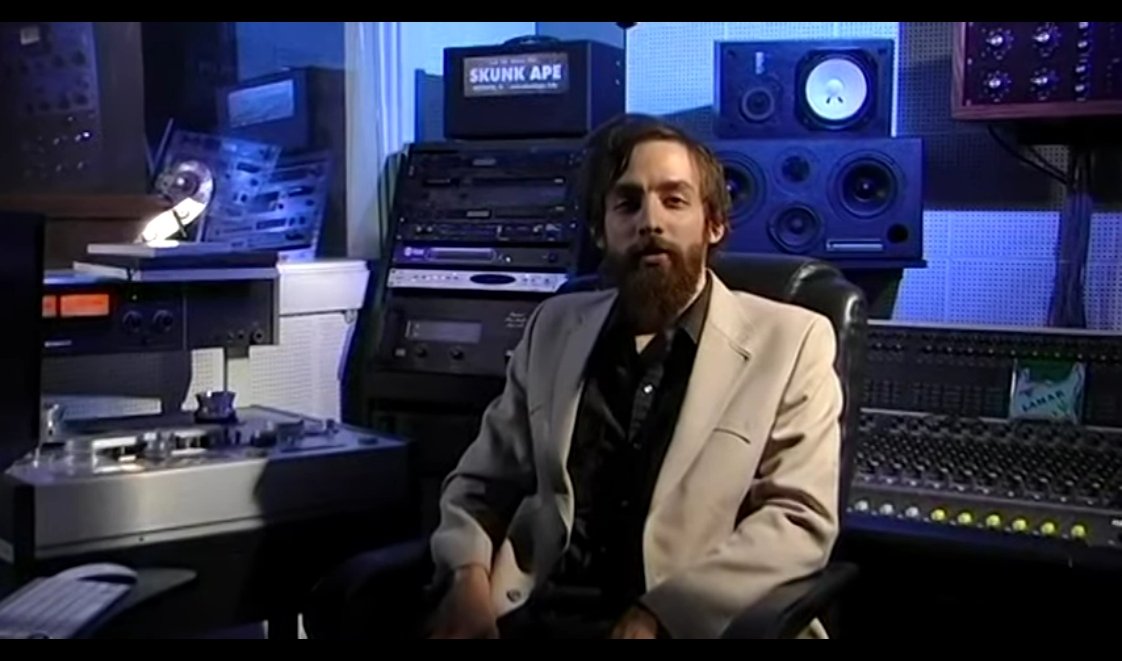
Neuigkeiten
PRODUKTE
Produktkatalog
Produktarchiv
SUPPORT
Treiber und Firmware Downloads
Dokumentation
Fragen und Antworten (FAQ)
Supportformular
Produktkatalog
Produktarchiv
SUPPORT
Treiber und Firmware Downloads
Dokumentation
Fragen und Antworten (FAQ)
Supportformular
LYNX PRODUKTE KAUFEN
Unser Online Shop
Autorisierte Fachhändler
KONTAKT
Kontaktadresse
Kontaktformular
Entsorgung von Altgeräten
Impressum
Datenschutzinformationen
Unser Online Shop
Autorisierte Fachhändler
KONTAKT
Kontaktadresse
Kontaktformular
Entsorgung von Altgeräten
Impressum
Datenschutzinformationen
NEWS
Neuste Meldungen
Lynx Studio Produkte in der Presse
Folgen Sie uns
Neuigkeiten rund um Lynx Studio auf den Sozialen Medien


Neuste Meldungen
Lynx Studio Produkte in der Presse
Folgen Sie uns
Neuigkeiten rund um Lynx Studio auf den Sozialen Medien
Copyright © 2000-2024 Digital Broadcast Systems GmbH